
Features/Caregiver Payouts

Paying caregivers shouldn't bethe hardest part of the week -and with Omassist, it isn’t.
Omassist keeps your business out of the payment flow entirely, generates contractor 1099s automatically, and gives you the ability to correct client billing or contractor invoice issues instantly - without waiting days for an outdated software vendor to “get to it” while clients and contractors sit in limbo.
Mistakes can happen, and Omassist is built for that reality. You can correct how a contractor invoice was paid or how a client invoice was processed right inside the platform, with clean, audit‑ready records. No more tense calls caused by small math errors. No more payment apps that leave you with zero documentation.
As your business grows, payouts get heavier.Omassist makes them lighter, faster, and fully compliant.
Protected payouts with no bank data stored in your office.
Stripe Connected Accounts keep contractor bank details encrypted and outside your business. After you approve the contractor/client‑signed visit, Omassist initiates the payout through Stripe - maintaining independence, compliance, and clean documentation.
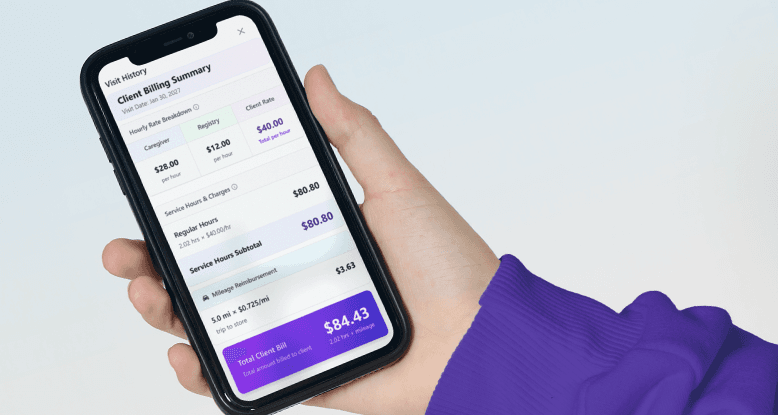
Payouts and billing stay seamless, accurate, and fully documented.
Omassist removes paper caregiver invoices, paper checks, and Friday spreadsheet math. Your office controls when approved visits move to billing, and private‑pay contractor payouts run automatically and accurately - with full documentation. If you still want to export to QuickBooks, you can.
For AOB/LTC clients, contractors are paid through a Stripe Cash Balance account, keeping your business out of the payment flow while maintaining clean, compliant records.
Caregivers receive their client payouts and can view them anytime in Omassist. Clients can see their invoices, track their LTC days used, and stay fully informed. And for Assignment of Benefits, Omassist’s Waterfall Billing System tracks every EOB and automatically routes any remaining balance to the client’s payment method - following the entire flow from start to finish.
Everything stays clear, correct, and connected without the paperwork or the wait.
Every payout connects back to the visit that earned it.
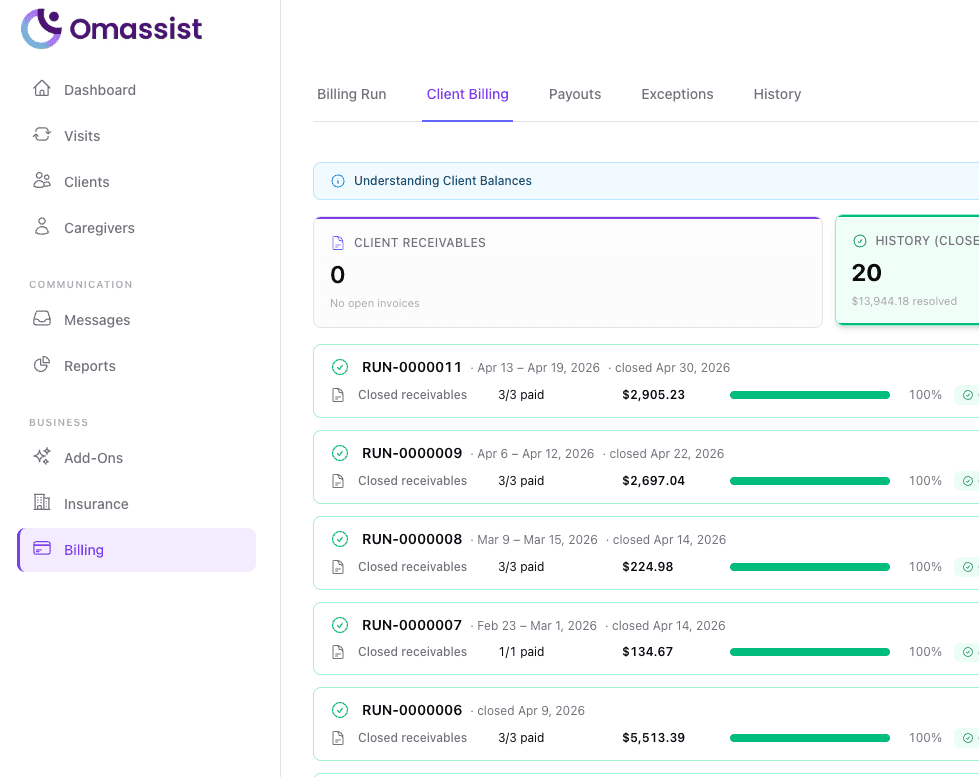
No more digging through spreadsheets or paper contractor invoices. Omassist links each contractor payout to the exact visit and records behind it, giving you a clean, consistent, audit‑ready history that fits the contractor model. Client invoices are clear and ready to go to Long Term Care Plans for clients that have them.
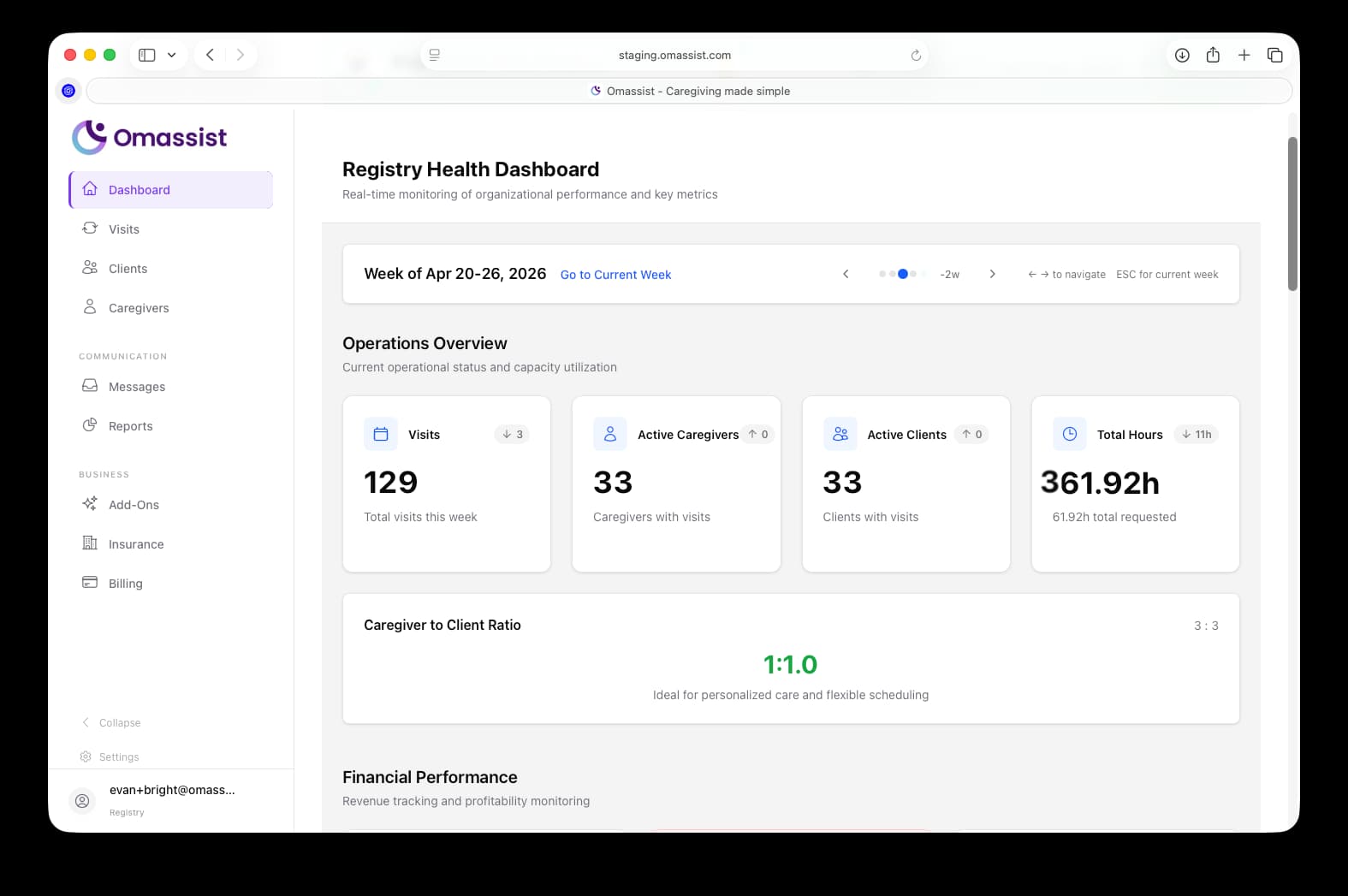
Clear payouts, one source of truth,and a calmer end to the week.
Omassist gives you a single, reliable payout flow that contractors trust - no confusion, no back‑and‑forth, and far fewer tense calls about missing dollars or miscounted hours. Payouts run on the same verified visit data your team already works from, so the numbers are always consistent and ready when you are. And as your operation grows - whether you’re paying ten caregivers or a thousand - the process stays just as smooth, predictable, and scalable.
- Trade spreadsheet-based payout tracking for records you can actually explain
- Fewer tense phone calls about a missed dollar or a miscounted hour
- On-time payouts that build caregiver trust - and keep them picking up your visits
- A payout process that holds up whether you're paying ten caregivers or a hundred
Payments they can count on
A setup they can finish in five minutes
Caregivers onboard through Stripe once - a guided, secure flow on their phone. Their banking info lives with Stripe, not your office, and they don't have to call anyone to get set up.
Payouts that show up when they're supposed to
Payments arrive on time, to the right account, every time. That's the kind of thing caregivers talk to each other about - and the kind of thing that keeps your best ones picking up your visits.
Fewer "where's my payment?" texts
When payouts are tied directly to the visits a contractor completed and signed off on, there’s no guessing and far fewer questions. Contractors can see that their Stripe deposit matches their Omassist payout, and if they forget how to find it, they can ask OmaClaw in any language for instant help. And if a contractor still isn’t sure, your office staff can use Impersonation to view Omassist exactly as the contractor sees it - so there’s never confusion, never a mystery, and never a long back‑and‑forth.
Common questions
Payouts run through Stripe Connected Accounts. Contractors complete a secure onboarding once, and from then on Omassist calculates their payout directly from the visit they completed and signed off on - including their negotiated rate, hours, expenses, mileage, and even holiday or overtime pay when the client and contractor agree to it. Omassist handles the math automatically based on the instructions inside the visit, so referral businesses never set payout amounts and never touch contractor bank details.
No. Bank information is handled inside Stripe's onboarding flow and stored with Stripe - not in your system. Sensitive financial data stays out of your office entirely.
Yes. You decide when payouts go out, and standard banking timelines determine when they land. The cadence is consistent and on your schedule - not squeezed in between client calls.
It happens. Stripe may prompt them to log in rather than re-verify. Omassist walks caregivers through the right path so onboarding doesn't stall halfway through. Stripe may even have contractors log in to add additional verification information once they reach certain milestones.
Failed payouts are typically returned, and Stripe tells you why. Omassist surfaces the failure so you can sort it out with the caregiver instead of discovering it weeks later in a bank statement.
Yes! Payout visibility that contractors can manage themselves. Every contractor has a dedicated billing section where they can view their payouts, print them, and even ask OmaClaw (in any language) for their year‑to‑date earnings, mileage, and expenses. Everything they need is right there - no guessing, no waiting for the office to explain it. And if a contractor still needs help, your office can use Impersonation to see their screen exactly as they see it. That means you can guide them step‑by‑step without confusion, without back‑and‑forth, and without the usual “I can’t find it” calls. Clear information, self‑service tools, and instant support - all built for the contractor model.

Payouts that protect your business.
Omassist runs contractor payouts through Stripe Connected Accounts - keeping you out of the payment flow and firmly in the contractor model.
Book a Demo